Photo Extractor app icon

Photo ExtractorSave the frame,
not a screenshot.

The best shot you took today is probably sitting inside a video. Pull it out at full quality and put it in your photo library, where it belongs.


US$0.99 · one-time purchase · iOS and Android

Every video is a stack of photos

Somewhere in that clip is the frame where the dog looked up, the candles were still lit, or everyone happened to be smiling at once.

Photo Extractor takes that single frame out at the quality it was recorded and saves it as a photo. No re-filming, no asking anyone to do it again.

Photo Extractor — saving a high-quality still image out of a video

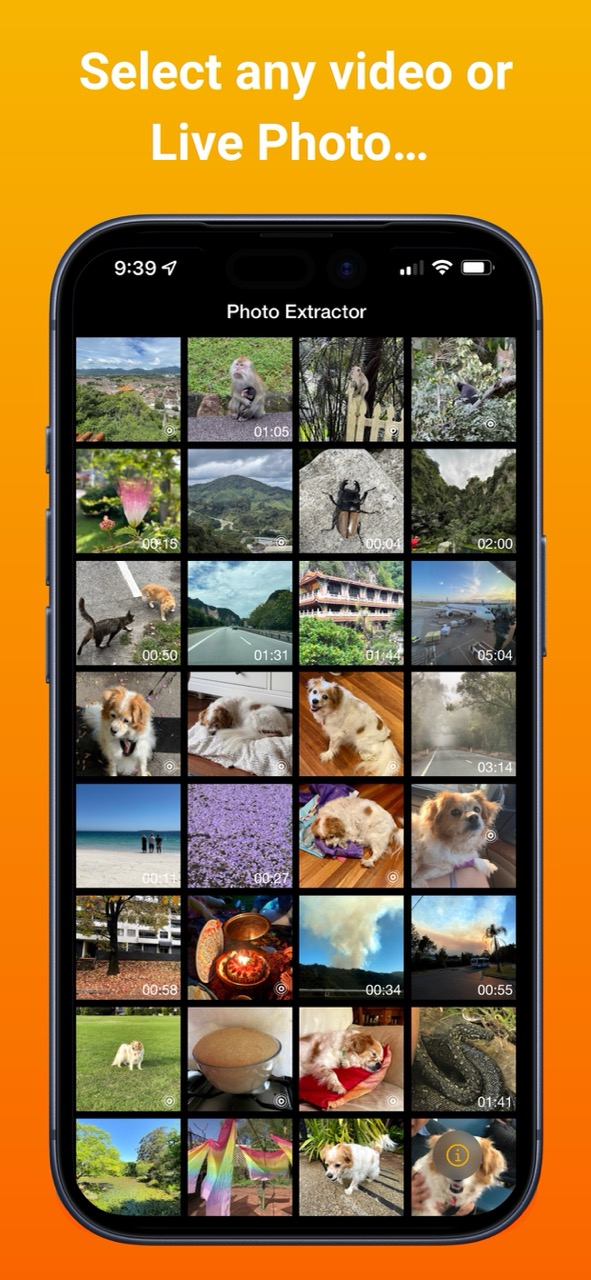
Start where your videos already are

Your library opens straight into the app, with videos and Live Photos ready to pick from. Tap one and you are in.

Nothing gets imported, copied or converted first, so there is no second copy of your footage taking up space.

Photo Extractor — choosing a video or Live Photo from your library

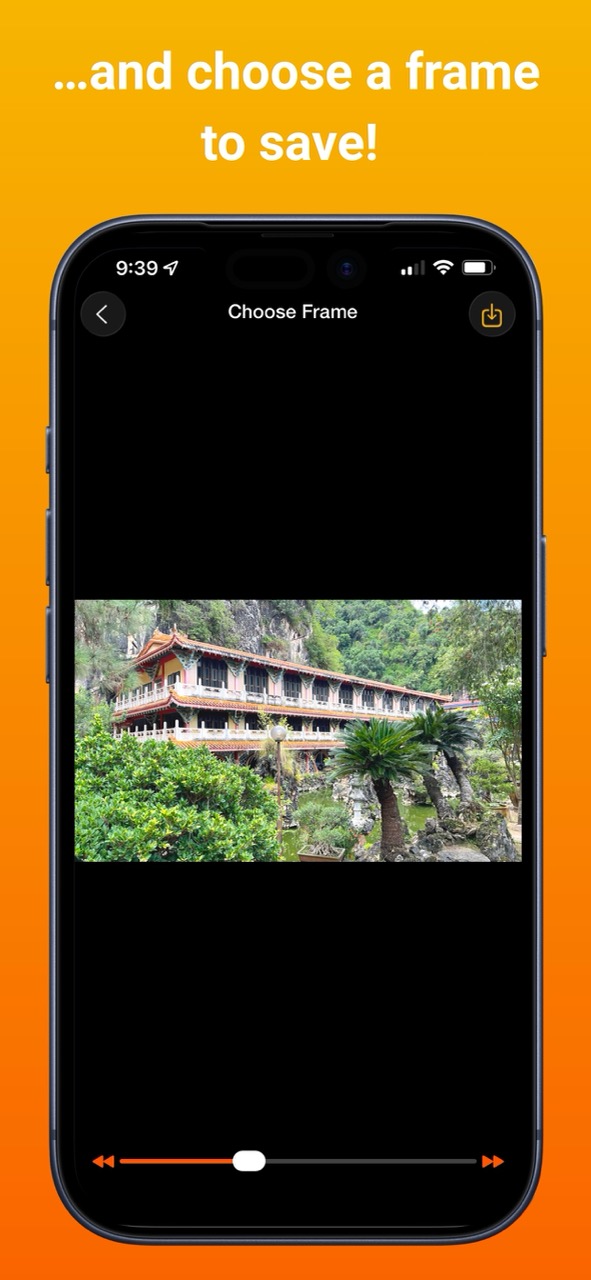
Land on the exact frame

Drag the slider to get close, then step forward or back one frame at a time until the shot is right. Blinks, half-turns and blurry hands are easy to step past.

Tap save and the image goes into your photo library at full quality, ready to share or edit like any other photo.

Photo Extractor — scrubbing and stepping frame by frame to choose the perfect still

What people use it for

Your photos stay yours

Photo Extractor does not collect any information from its users, personal or otherwise. No data is stored on our servers, and nothing ever leaves your device.

The app reads the video you pick and writes the frame you asked for. That's the whole job.

Frequently asked questions

Why not just take a screenshot of the video?

A screenshot captures your screen: the video scaled down to fit it, whatever playback controls were showing, and nothing more. Photo Extractor saves the frame itself at full quality and adds it to your photo library as a new image.

Does Photo Extractor work with Live Photos?

Yes, on iPhone. Open a Live Photo, move through it frame by frame, and save the moment you actually wanted rather than the one your thumb landed on.

Is there an Android version?

Yes. Photo Extractor is on Google Play and saves stills from videos on Android. Live Photos are an iPhone feature, so that part applies to iOS only.

Where does the saved image end up?

In your photo library, alongside everything else, ready to share or edit. The original video or Live Photo is left exactly as it was.

How do I find the right frame?

Drag the slider to get close, then use the step buttons to move one frame at a time in either direction until the shot is right. Tap save when it is.

Does Photo Extractor collect any data?

No. Photo Extractor does not collect any information from its users, personal or otherwise. No data is stored on our servers, and nothing ever leaves your device.

How much does Photo Extractor cost?

Photo Extractor is a one-time purchase of US$0.99 on the App Store, and it is also available on Google Play. There is no subscription.

Go and get that frame

One-time purchase, no ads, no subscription, no account.

US$0.99 · iOS and Android